Workday 101
Your whole week on one screen.
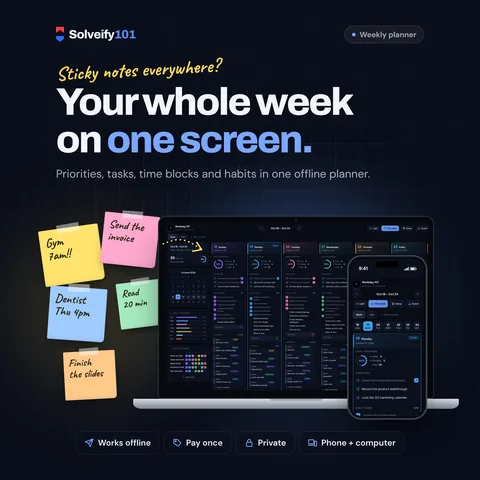
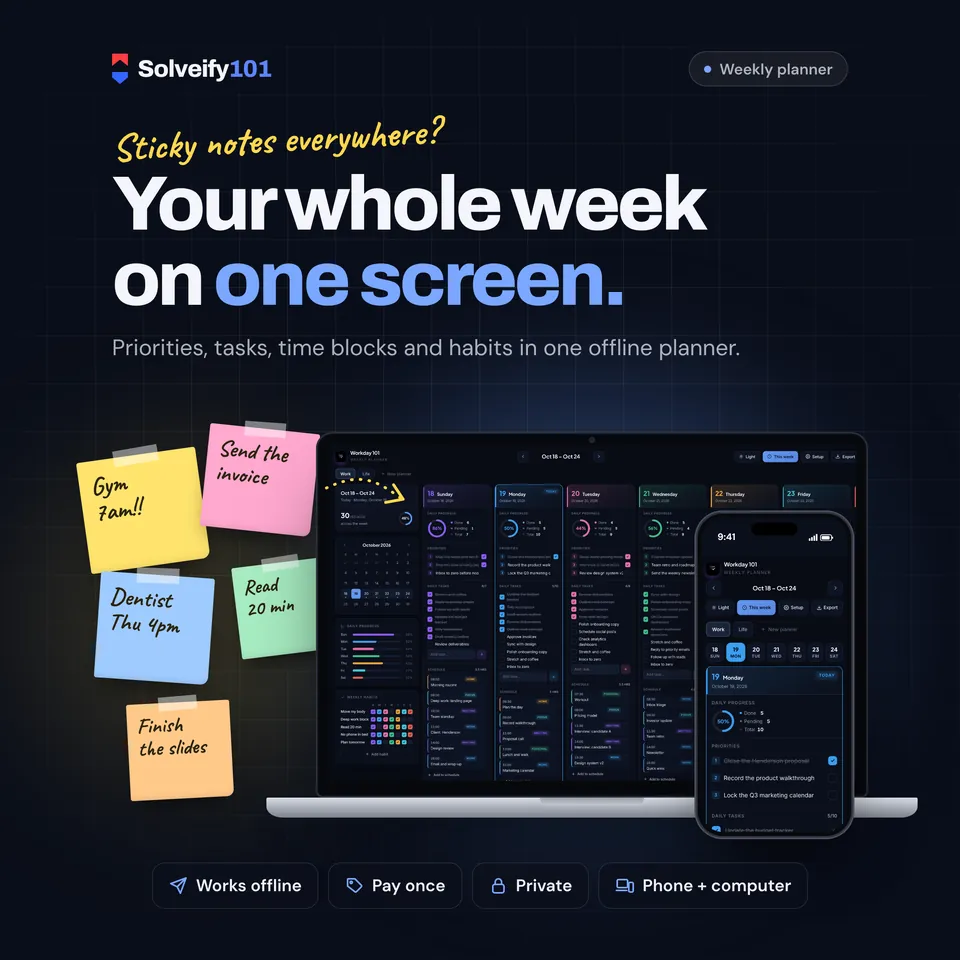
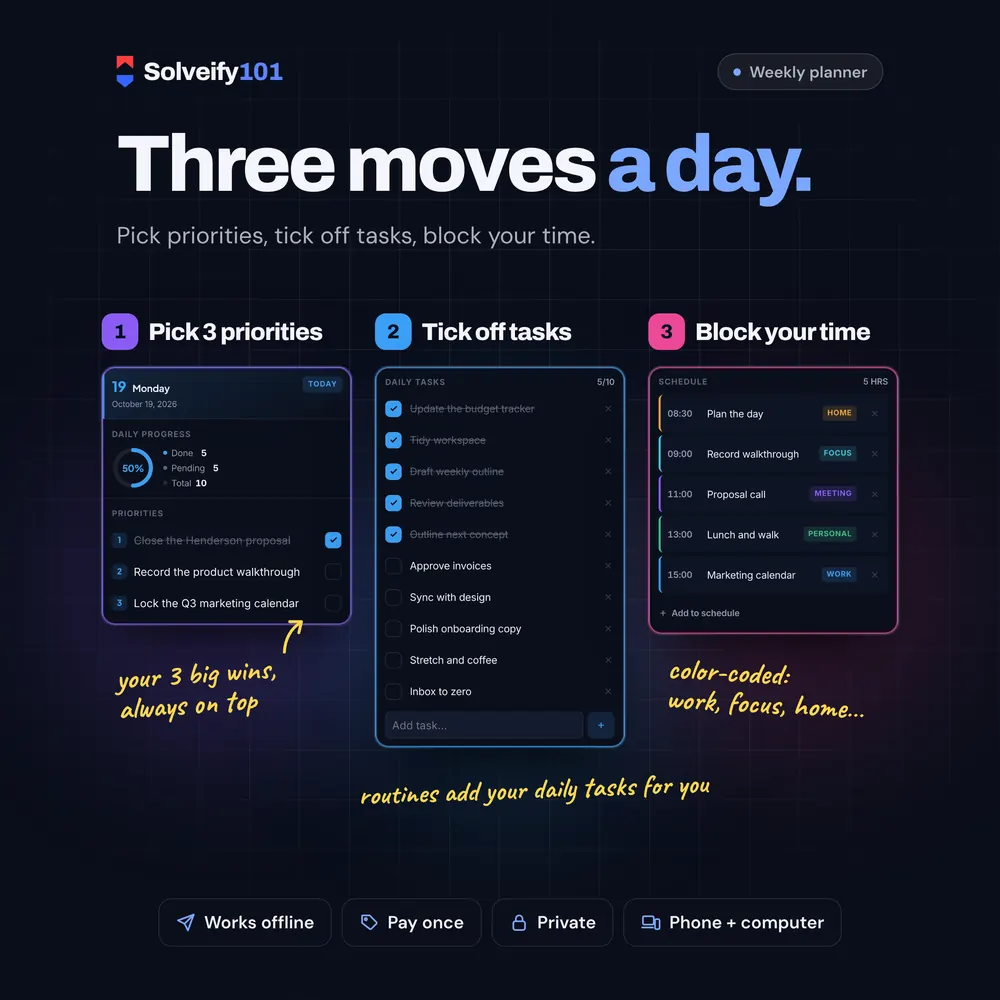
Your whole week on one screen: 3 priorities and a task list for every day, a color-coded time-blocked schedule, and a habit tracker that fills in as you go. One file you open in your browser. No app, no account, no subscription.
$10
One-time payment on Etsy, in US dollars.
The demo runs in your browser with sample data. Nothing you type is saved or sent anywhere.
- One fileOpens in any browser
- Works offlineNo internet needed
- PrivateSaves on your device
- Pay onceNo subscription
See it in action
What buyers say
4.0 out of 5 from 2 Etsy reviews. Every review comes from a real Etsy purchase.
-
This product is magnificent, it does make my life much easier!
Etsy buyerAug 2026
What's inside
Each day
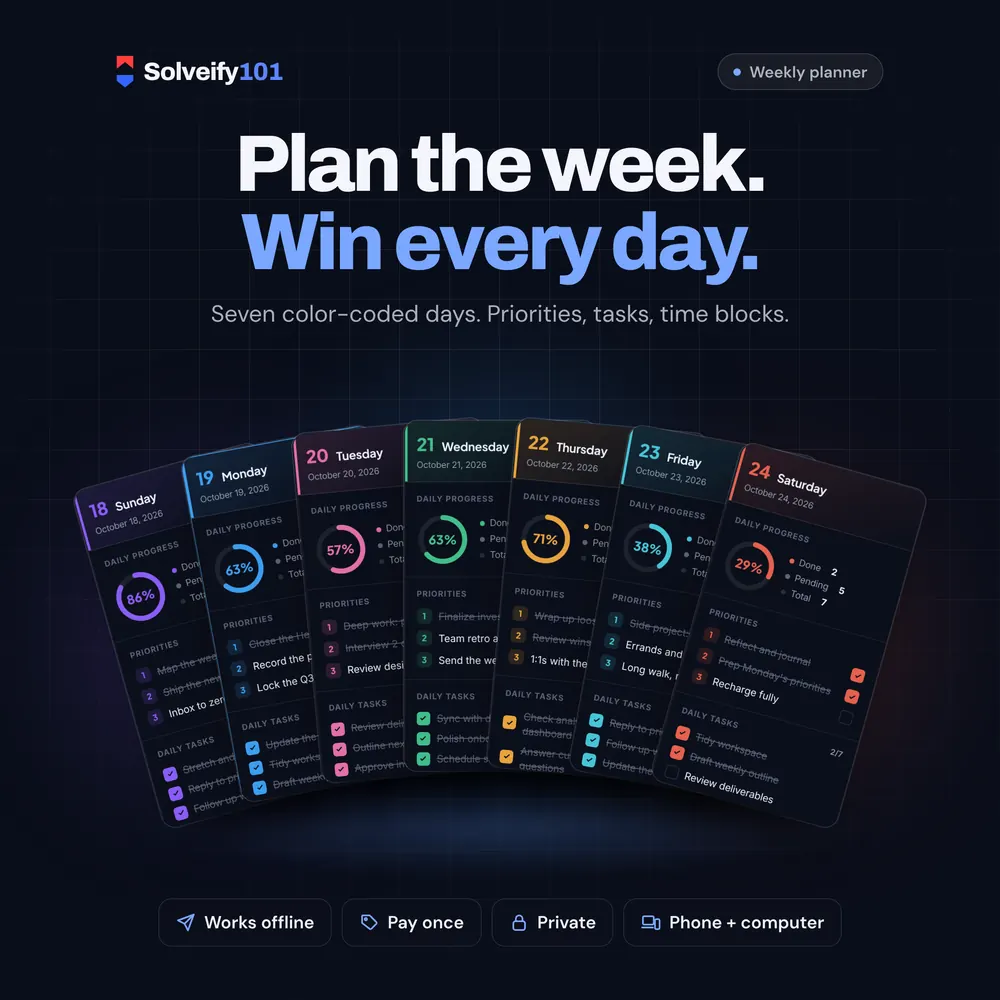
- 3 daily priorities, so the important things don't get buried
- A task list with a live progress ring
- A time-blocked schedule, color-coded: work, focus, meeting, personal, home, errand
Each week
- Weekly completion and a progress bar for every day
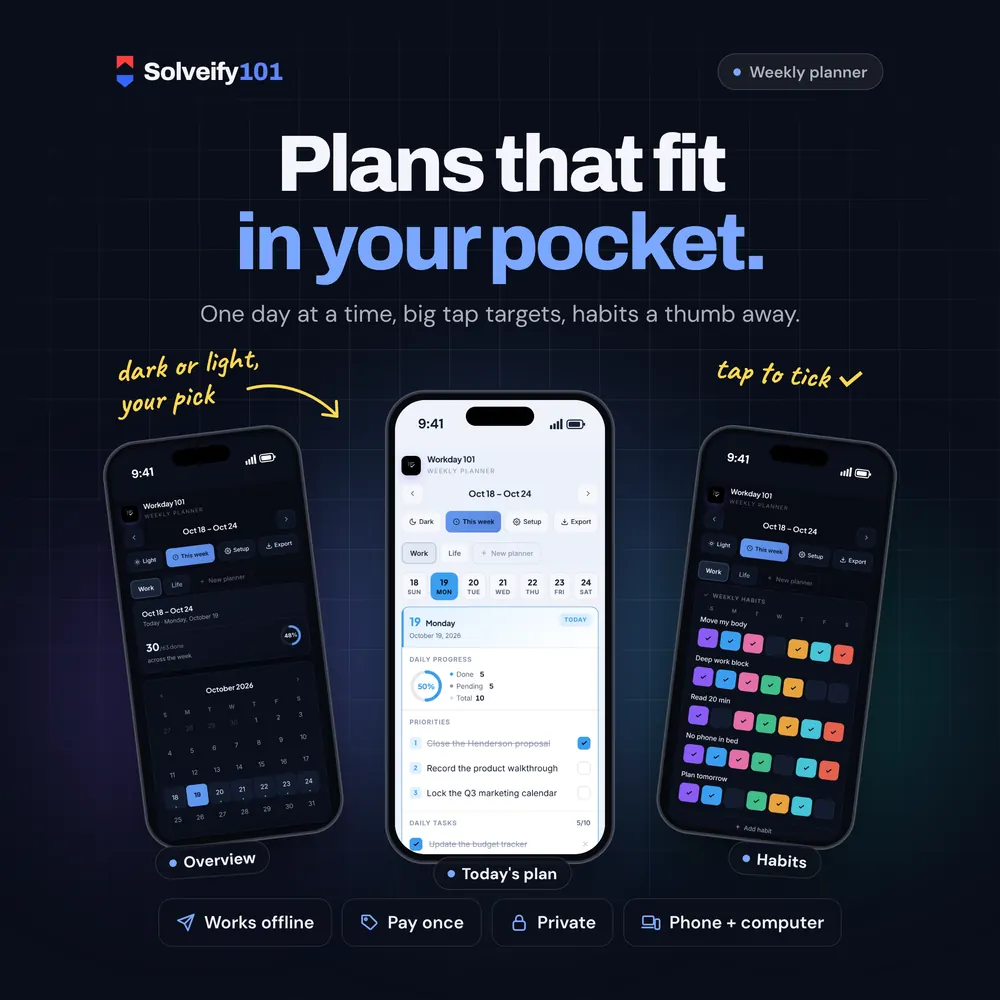
- Habit tracker: tick a box, watch the week fill up
- Mini calendar to jump to any week
- Routines: add "Inbox to zero" or "Weekly review" once and they appear on the right days automatically
- Separate planners, for example Work and Life, each with its own habits and routines
Your data
- Stays on your device. No login, no cloud, no tracking.
- Backup file in one tap; restore it on a new computer or browser
- Export any week to CSV (opens in Excel, Numbers or Google Sheets)
- Dark and light mode
How it works
- Download the file from your Etsy Purchases page.
- Open it in your browser. No internet needed after that.
- Plan your week. Everything saves automatically on your device.
What you get
- Workday 101 planner (one HTML file, opens in Chrome, Safari, Edge or Firefox)
- Illustrated How-to-Use guide (PDF)
On your phone
The planner switches to a phone layout: one day at a time, big tap targets, and tabs for Planner, Overview and Habits.
On iPhone or iPad, open it with Microsoft Edge. See how
Good to know
- This is an interactive planner you open in a web browser. It is not a PDF or GoodNotes planner.
- Your notes are saved in the browser you use to open the file. To move to another device, use Setup > Download backup, then Restore backup on the new one.
- Digital item: nothing is shipped.
Made forFreelancers, founders, remote workers, students and anyone who wants a calm weekly plan without another subscription.